Read Node
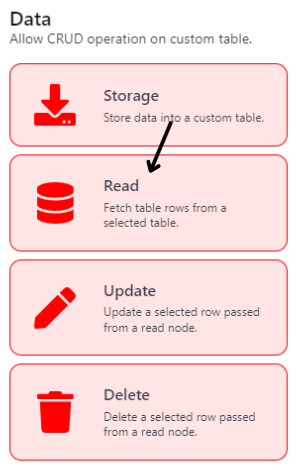
To read a table and extract its contents and values based on a filter set by the user (Diagram 16)
Node Name
| Title | Description | Type |
|---|---|---|
| Node Name | To set the Node's name | Text Field |
Read Config
| Title | Description | Type |
|---|---|---|
| Table | To select which table you wish to read from | Single Select Dropdown |
Read Filter
| Title | Description | Type |
|---|---|---|
| If Function | Filter to specify what information to read from the table. It is set in an If function schema as described below.If <Column Name of the Specified Table> <Comparative Function> <Text Field with Variable Button> | |
| Column Name of the Specified Table | Lists out all the column name for the user to select | Single Select Dropdown |
| Comparative Function | Lists out the following comparative functions for user to select: 1. is equals to 2. is not equals to 3. is less than or equals to 4. is more than or equals to 5. is less than 6. is more than | Single Select Dropdown |
| Text Field with Variable Button | To set the identifier of that specific filter | Text Field |
| Add Condition | Adds another If Function with "And" as the condition | Button |
| Add Group | Adds another If Function with "Or" as the condition | Button |
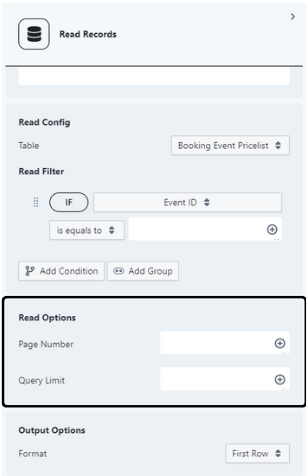
Read Options
For user to decide the parameters or limits of their read results from the If Function.
| Title | Description | Type |
|---|---|---|
| Page Number | To set the page number that will be queried by the If Function. By default if left empty, it will always be page 1. | Text Field |
| Query Limit | To set the number of rows that will be queried by the If Function. By default if left empty, it will only read up to 25 rows. | Text Field |
info
In simple terms, its easier to imagine the Read Options as a Book. The If Function serves as a filter or search that finds data from the table. The query limits sets how many rows are to be displayed in a single page of the book. The page number sets which page is to be used. If Query Limit is 25, only 25 rows will be shown and will be assigned to page "1". 26th row onwards will be 2nd page until 50th row, and so on.
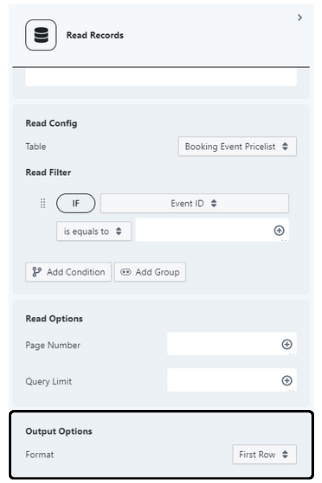
Output Options
| Title | Description | Type |
|---|---|---|
| Format | To select an output option for the Query results of the Read Node, whether to output First Row only or output Multiple Rows. (Even if the Query Limit is 25, by selecting First Row, it will only output the First Row.) - First Row selection allows Variables to be used in subsequent nodes - Multiple Rows selection returns an Array and will not return a readily available Variable to be used in subsequent nodes, with the exception of Reduce Node, and other array related nodes. | Single Select Dropdown |