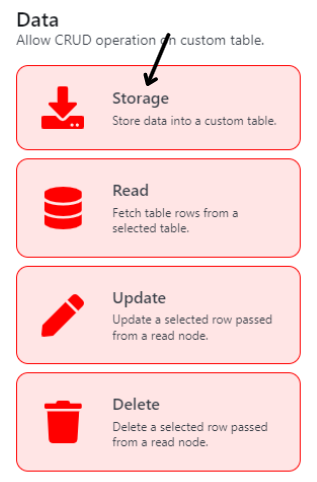
Store/Storage Node
To store variables into a specific data table. Each storage node will create a new row in the data table, and storing of variables will occur for each column. The column can be left empty if needed as that option is available. (Diagram 14)
Node Name
| Title | Description | Type |
|---|---|---|
| Node Name | To set the Node's name | Text Field |
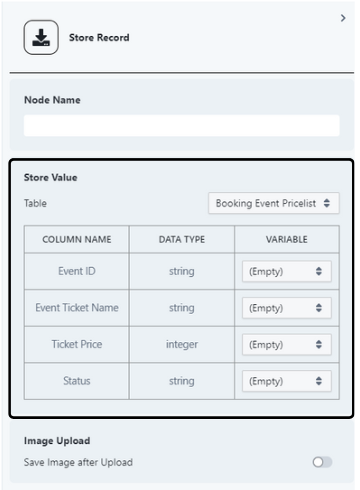
Store Value (Diagram 15)
| Title | Description | Type |
|---|---|---|
| Table | To select the table in which user wish to store their variables in. | Single Select Dropdown |
| Table | To select the variables that user wishes to store in the specified column | Single Select Dropdown |
Image Upload (H)
| Title | Description | Type |
|---|---|---|
| Save Image after Upload | To set whether user wish to store an attachment from a variable into a specified folder. | Toggle |
| Upload To (If Toggle is On) | To select the folder that user wish to store the attachment | Single Select Dropdown |